

Etienne
Supports UIby bullorosso
Open-source AI coworker harness built on Claude Agent SDK — React chat UI, RBAC, skills system, MCP Apps, and self-healing capabilities for local data workflows
Screenshots
What it does
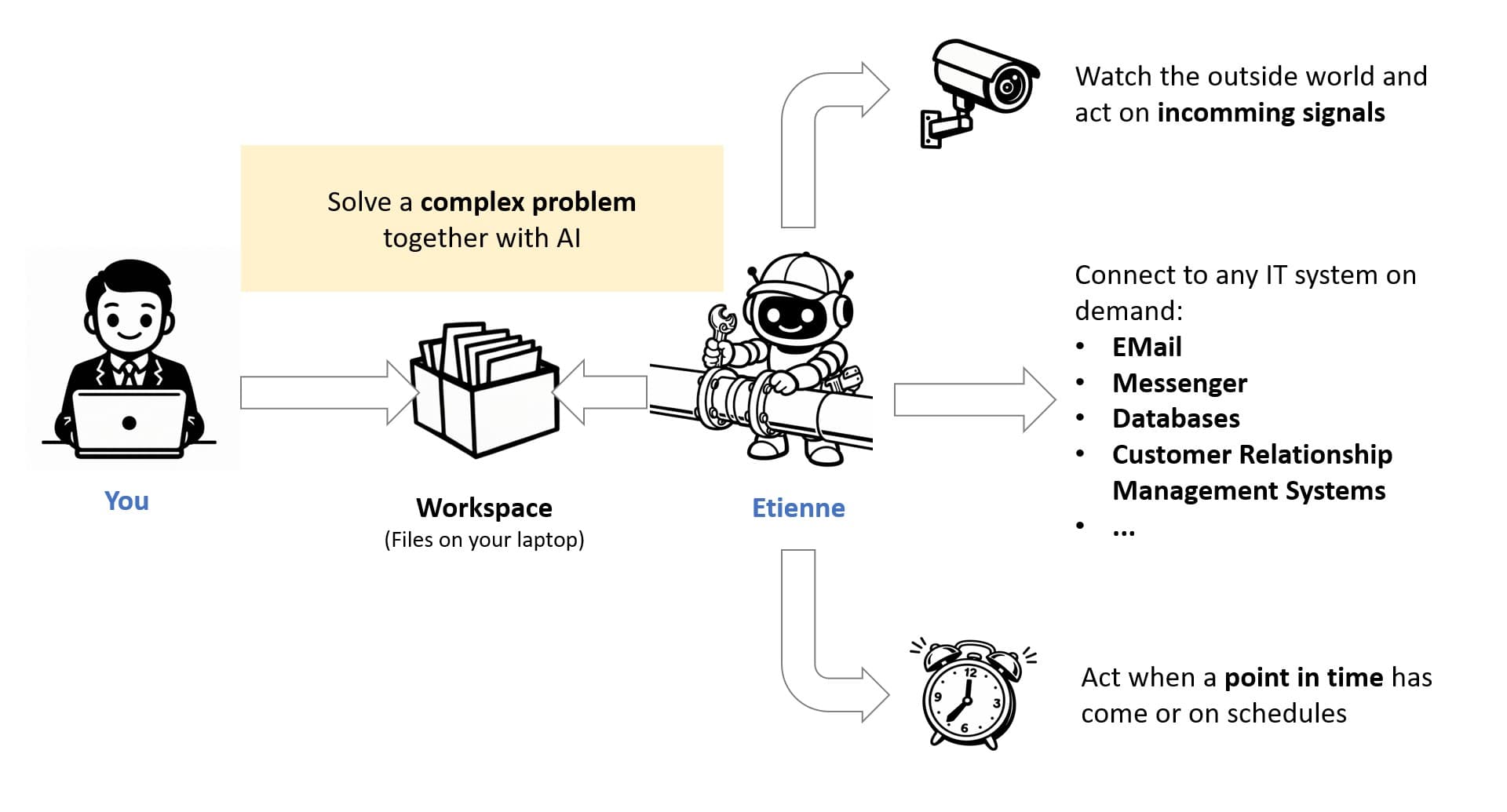
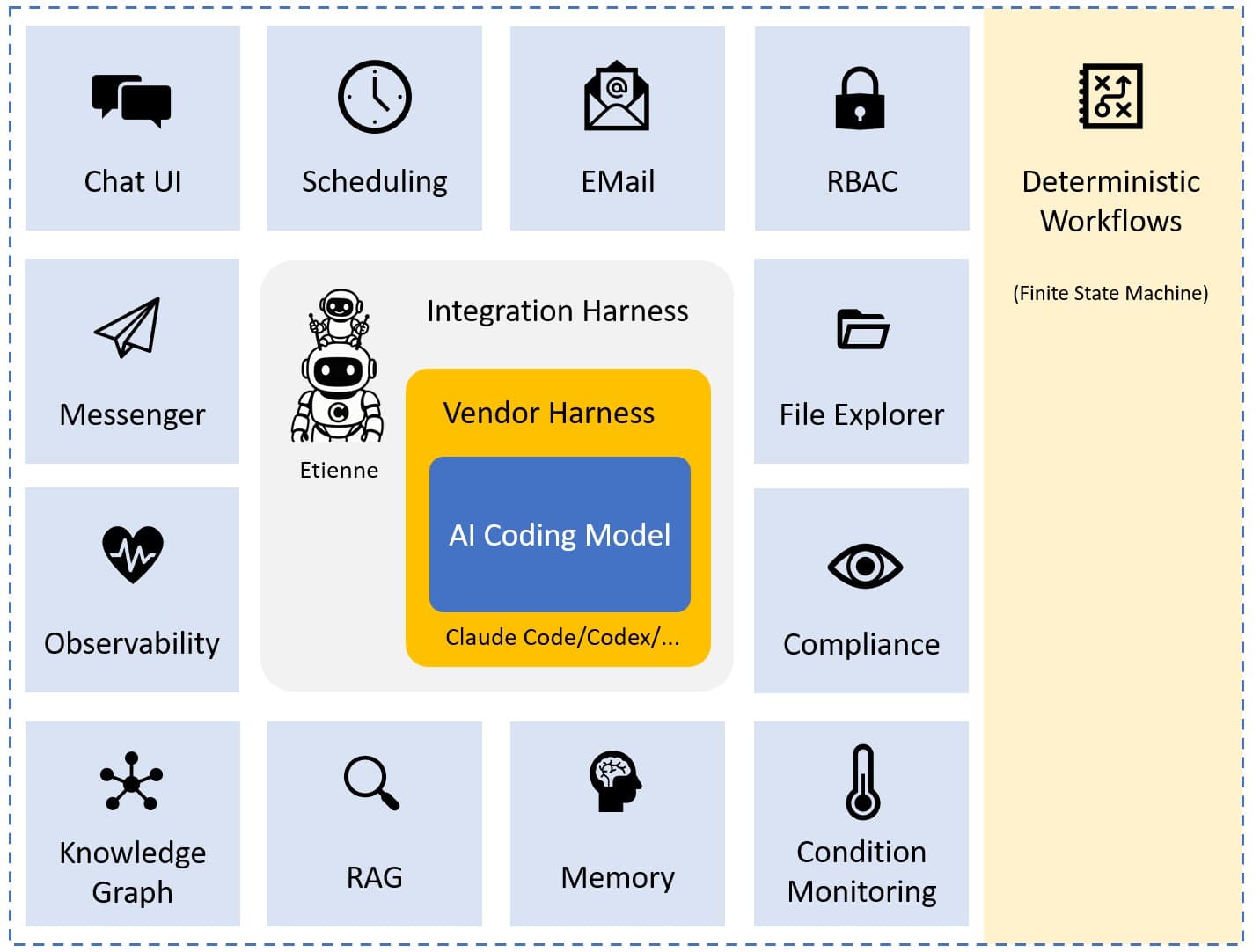
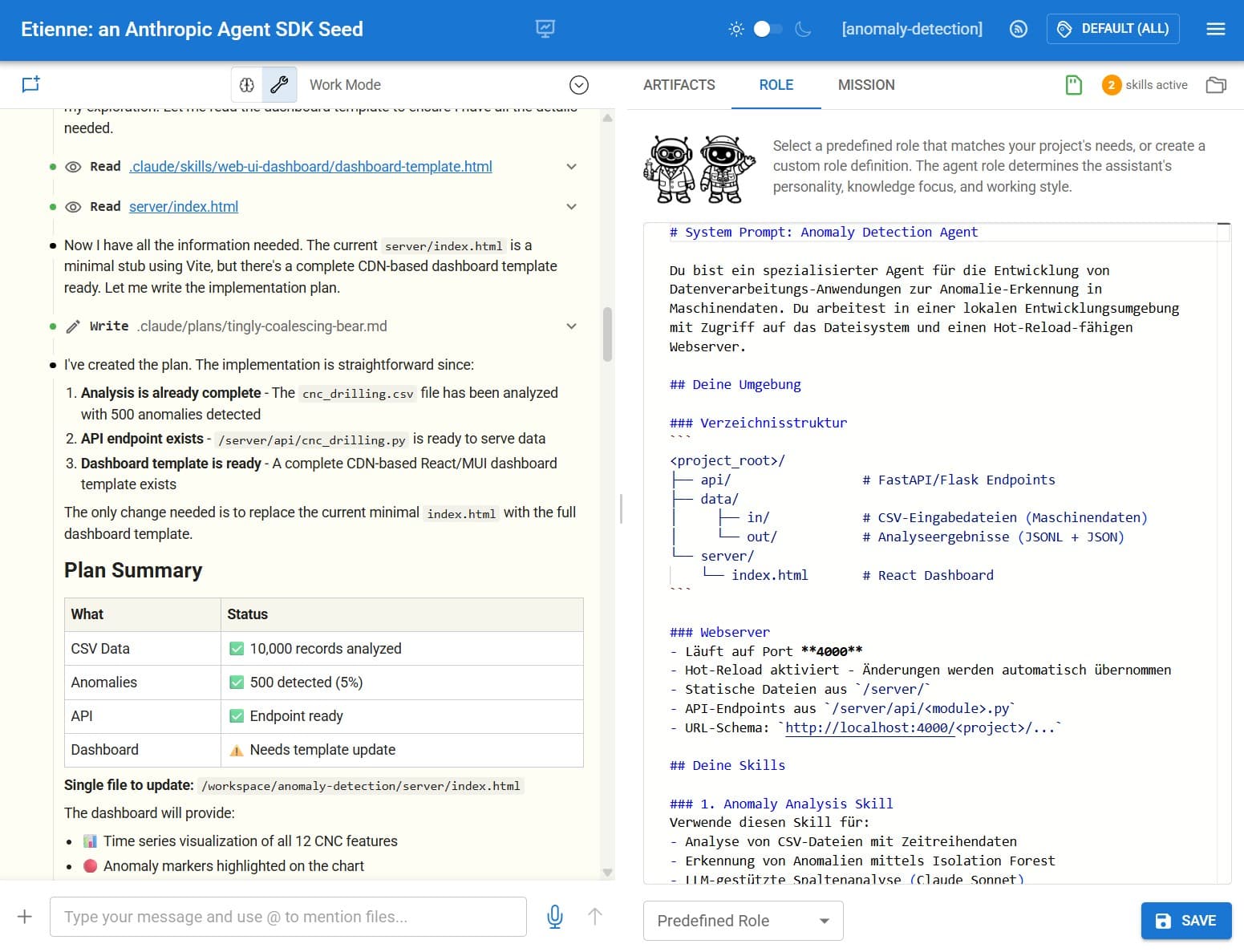
Etienne is an integration harness around a coding agent (Claude Agent SDK, Codex, or compatible) that turns a raw AI model into a structured, enterprise-ready AI coworker. It adds a polished React chat UI, role-based access control, a lifecycle-managed skills store, event-bus connectivity, and MCP App rendering — all designed to run on local data without mandatory cloud dependencies.
Users interact via a browser workbench or Telegram/Teams messenger. The agent works on local project workspaces, can monitor email, run scheduled tasks, visualise knowledge graphs, and even patch its own source code under admin-supervised self-healing workflows.
Key features
- Skills system — business experts write markdown skills; IT engineers attach code snippets; skills are versioned, reviewed, and promoted through an admin-managed store
- MCP App rendering — tool results carrying a
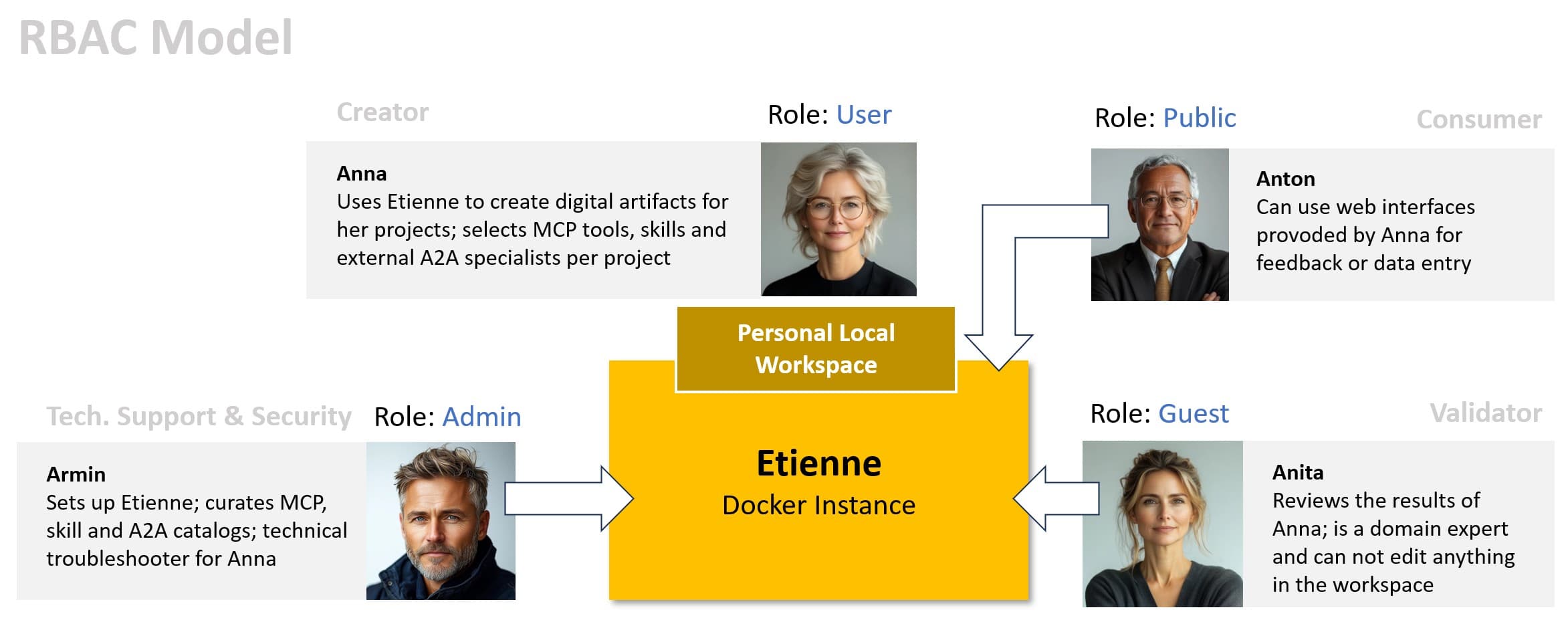
_meta.ui.resourceUriare rendered as live React UIs (buttons, forms, dashboards) inline in the chat timeline - Role-based access control — guest, user, and admin roles with JWT authentication; plugs into EntraID, Okta, or any OAuth provider
- Event bus (ZeroMQ) — connects IMAP, MQTT, webhooks, file system, and cron schedulers into a perceive → contextualize → decide → act agent loop
- Self-healing — graduated autonomy (Level 0–3) for agent-driven code patches with snapshot/rollback and a mandatory admin approval gate
- Multi-agent orchestration — define subagents per project; Claude Agent SDK runs them in parallel or sequence automatically
- Context management — tag files, vector documents, and RDF entities to scope the agent's data access per session, reducing tokens and improving focus
- Budget tracking — per-project cost monitoring with configurable global limits and real-time SSE updates
Installation
git clone https://github.com/BulloRosso/etienne
cd etienne

# OAuth server (port 5950)
cd oauth-server && npm install && npm run dev

# Backend (port 6060)
cd ../backend && npm install && npm run dev

# Frontend (port 5000)
cd ../frontend && npm install && npm run dev
Create backend/.env from backend/.env.template and set ANTHROPIC_API_KEY, OPENAI_API_KEY, and JWT_SECRET.
Default login: user / user123 (role: user) or admin / admin123 (role: admin).
Claude Desktop — Etienne exposes its own MCP server on port 6060. Add it to claude_desktop_config.json:
{
  "mcpServers": {
    "etienne": {
      "url": "http://localhost:6060/mcp"
    }
  }
}
Supported hosts
Primarily self-hosted — users access the React workbench at http://localhost:5000. Secondary messenger UIs (Telegram, Microsoft Teams) are supported via included provider services. The backend MCP server can be connected from any MCP-compatible client.
Quick install
git clone https://github.com/BulloRosso/etienne && cd etienne/backend && npm install && npm run devInformation
- Pricing
- free
- Published
- 4/4/2026
- Updated
- 6 months ago
- stars
- 19
Categories
Choose your AI client and follow the steps below.
Codex
Run the Etienne backend locally and reference its MCP server URL in your AGENTS.md or MCP config.Claude Desktop
Add Etienne's MCP server to claude_desktop_config.json: {"mcpServers": {"etienne": {"url": "http://localhost:6060/mcp"}}}Related Apps

nanobot
MCP ServerUltra-lightweight personal AI agent framework with built-in MCP, long-term memory, and multi-channel chat support.

FinanceToolkit
MCP ServerProfessional-grade financial analysis toolkit for equities, options, and risk management.

DiffSitter MCP
MCP ServerAI-powered structural code navigation using tree-sitter ASTs for semantic understanding across 14+ languages.

OpenAI Apps SDK Examples
MCP AppOfficial example gallery of interactive MCP widgets for ChatGPT — 3D viewers, maps, carousels, shopping carts, and more.

Human MCP
MCP ServerGive AI agents human-like senses: visual analysis, image/video generation, speech synthesis, browser automation, and advanced reasoning — 29 MCP tools in one se

Containarium
MCP ServerSelf-hostable agent runtime with SSH-native isolation, eBPF egress policy, and MCP-native CLI.

Shopify MCP Server
MCP ServerDirect interaction with Shopify store data via GraphQL API for managing products, customers, and orders.

Git MCP Server
MCP ServerFull-featured Git MCP server exposing 28 tools for AI agents to clone, commit, branch, diff, merge, rebase, and more via STDIO or Streamable HTTP.