

Gemini MCP Desktop Client
by duke7able
Electron desktop app connecting to any MCP server with Google Gemini as the LLM engine — cross-platform, markdown-rendering, with voice input support.
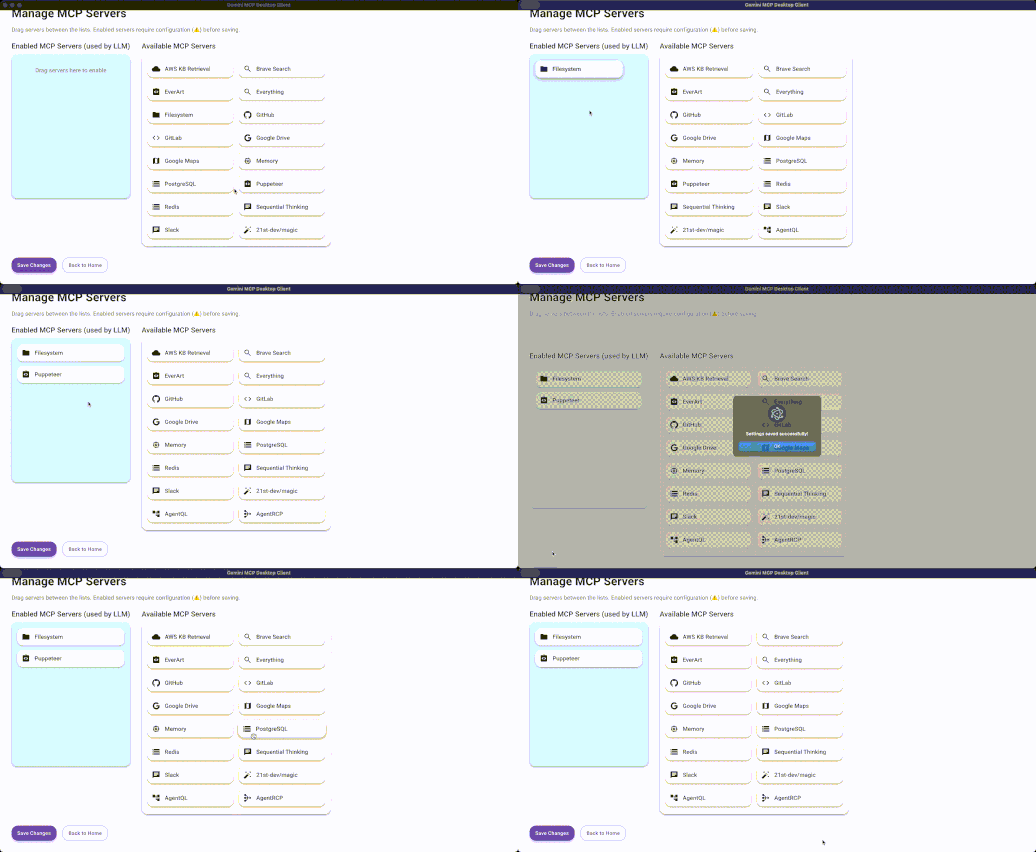
Screenshots
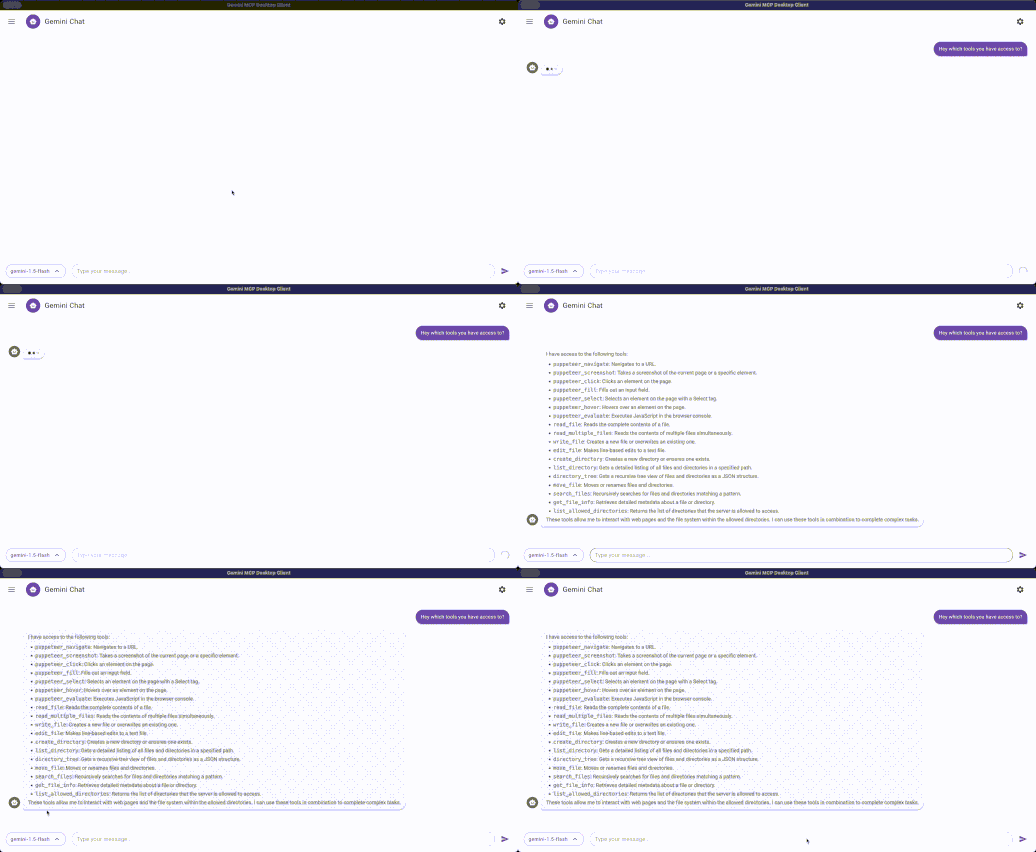
What it does
Gemini MCP Desktop Client is an Electron-based desktop application that brings MCP server connectivity to macOS and Windows with Google Gemini as the underlying LLM. Rather than requiring a cloud-hosted AI client, you install and run the app locally, point it at any MCP-compatible server, and get full LLM-driven chat with tool invocation powered by Gemini's API.
The app bundles a local Express backend, a React/MUI frontend, and the official @modelcontextprotocol/sdk to handle all MCP server communication — stdio or otherwise. It includes bundled uv/uvx binaries so Python-based MCP servers just work without extra setup.
Tools
This is a desktop MCP client — it does not expose tools itself. Instead it connects to and invokes tools on any MCP server you configure:
- Multi-server support — connect to one or more MCP servers from within the settings UI
- Gemini LLM backend — routes all chat turns and tool calls through
@google/generative-ai - Voice input — microphone capture with audio-to-text (
audioToText) pipeline - File parsing — reads
.xlsx,.pptx,.docxvia bundled parsers before sending to LLM - Markdown rendering — full syntax-highlighted code blocks via
react-markdown+rehype-highlight - Drag-and-drop UI — reorder server connections via
@hello-pangea/dnd
Installation
// claude_desktop_config.json — not applicable (this IS the client)
// Install directly:
git clone https://github.com/duke7able/gemini-mcp-desktop-client.git
cd gemini-mcp-desktop-client
npm install
npm run create-env   # creates .env from .env.example
npm run dev          # start in development mode
Or download prebuilt installers:
Requires a Google Gemini API key set in .env before first launch.
Supported hosts
This app is itself the MCP host — it connects to MCP servers rather than running inside another client.
Quick install
git clone https://github.com/duke7able/gemini-mcp-desktop-client.git && cd gemini-mcp-desktop-client && npm install && npm run create-envInformation
- Pricing
- free
- Published
- 4/4/2026
- Updated
- 1 year ago
- stars
- 99
Categories
Choose your AI client and follow the steps below.
All clients
git clone https://github.com/duke7able/gemini-mcp-desktop-client.git && cd gemini-mcp-desktop-client && npm install && npm run create-envRelated Apps

nanobot
MCP ServerUltra-lightweight personal AI agent framework with built-in MCP, long-term memory, and multi-channel chat support.

FinanceToolkit
MCP ServerProfessional-grade financial analysis toolkit for equities, options, and risk management.

DiffSitter MCP
MCP ServerAI-powered structural code navigation using tree-sitter ASTs for semantic understanding across 14+ languages.

OpenAI Apps SDK Examples
MCP AppOfficial example gallery of interactive MCP widgets for ChatGPT — 3D viewers, maps, carousels, shopping carts, and more.

Human MCP
MCP ServerGive AI agents human-like senses: visual analysis, image/video generation, speech synthesis, browser automation, and advanced reasoning — 29 MCP tools in one se

Containarium
MCP ServerSelf-hostable agent runtime with SSH-native isolation, eBPF egress policy, and MCP-native CLI.

Shopify MCP Server
MCP ServerDirect interaction with Shopify store data via GraphQL API for managing products, customers, and orders.

Git MCP Server
MCP ServerFull-featured Git MCP server exposing 28 tools for AI agents to clone, commit, branch, diff, merge, rebase, and more via STDIO or Streamable HTTP.