

Blink AI
Interface UIpar mohitgoyal09
Assistant d'espace de travail intelligent pour bureau intégrant plus de 240 outils pour l'automatisation, l'entrée vocale et l'analyse d'écran.
Captures d'écran
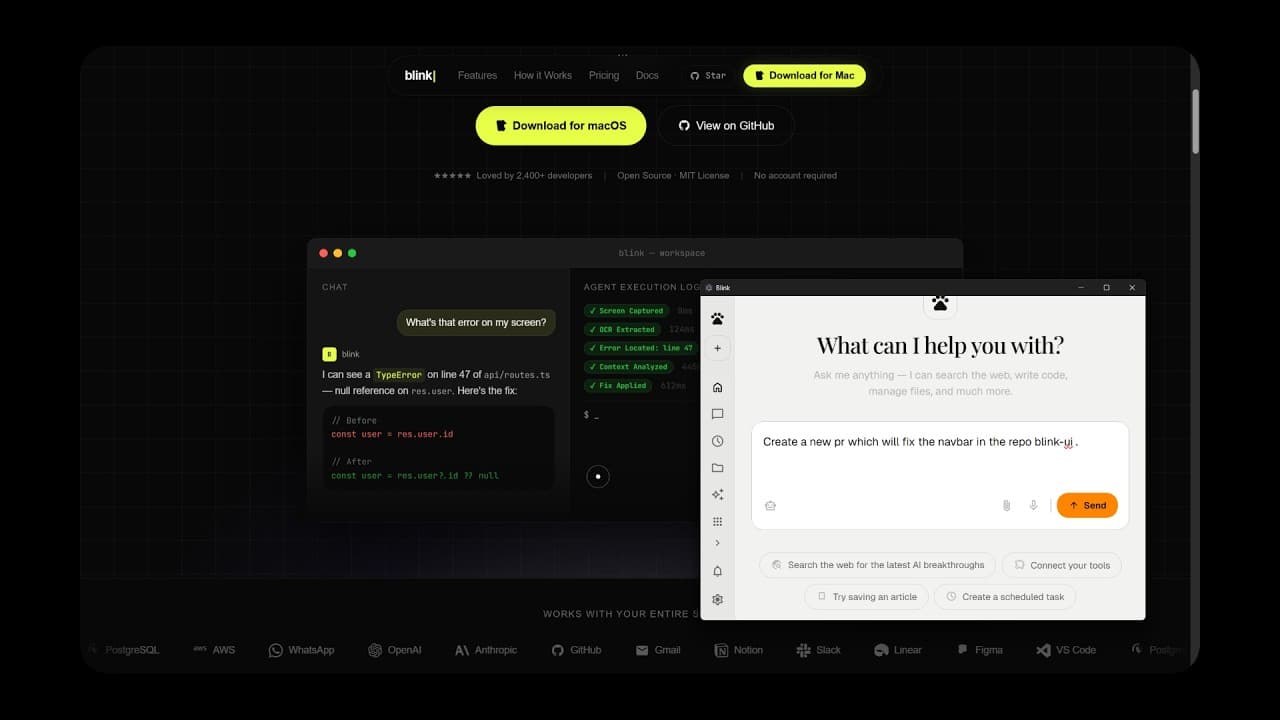
Ce qu'il fait
Blink AI est un espace de travail complet pour bureau qui agit comme un coéquipier IA. Il propose une interface de chat interactive et des tableaux de bord d'outils internes, permettant aux utilisateurs de gérer des tâches, d'automatiser des flux de travail via plus de 240 intégrations, et d'utiliser la capture d'écran pour une analyse contextuelle par l'IA.
Fonctionnalités clés
- Routage multi-outils : Intégration native avec Gmail, GitHub, Google Calendar et WhatsApp via Composio et les serveurs MCP.
- Conscience contextuelle : Capture d'écran et OCR intégrés pour analyser instantanément les fenêtres actives et les messages d'erreur.
- Interactivité vocale : Transcription en temps réel via Deepgram pour un fonctionnement mains libres.
- Mode Pilote Automatique : Gestion autonome des tâches de fond comme la surveillance des problèmes et la rédaction d'e-mails.
Installation
- Application Electron : Téléchargez la dernière version depuis la page GitHub Releases.
- Déploiement Web : Clonez le repo et exécutez
bun install && bun run dev.
Hôtes supportés
- Claude Desktop
- Cursor
Installation rapide
git clone https://github.com/MohitGoyal09/coworker.git && cd Blink && bun install && bun run devInformations
- Tarification
- free
- Publié
- 4/10/2026
- étoiles
- 0
Catégories
Choisissez votre client IA et suivez les étapes ci-dessous.
Cursor
Add to mcp.json in ~/.cursor/Claude Desktop
Configure via mcp.json server entriesApps similaires

Scira
MCP AppOpen-source agentic AI search engine with 17 search modes, 28 tools, and full inline citations — self-hostable Perplexity alternative.
Telegram MCP
MCP ServerBridge your AI assistant to the Telegram API for managing chats, messages, and drafts.

MCP Email Server
MCP ServerRead, search, organize, and send emails via IMAP and SMTP through a unified MCP interface.

Lobe Chat Pro
MCP ServerEnhanced Lobe Chat with infinite canvas for AI image/video generation, user management, billing, and multi-model creative panels.

Readwise MCP (Legacy)
MCP ServerLegacy MCP server for Readwise highlights and Reader data — now deprecated in favour of the hosted version.

MCP Gemini Search
MCP ServerConnect Gemini 2.5 Pro to flight search tools via Model Context Protocol for natural language travel queries.

Taskmeow
MCP AppMinimalist enterprise todo list app with drag-and-drop, Teams/Slack integration, and MCP-powered interactive UI

Jensenify MCP
MCP ServerInject ~2.9M tokens of canonical Western literature into every AI interaction for deep humanistic context on engineering decisions.