

Etienne
Interface UIpar bullorosso
Harnais de collaborateur IA open-source basé sur le Claude Agent SDK — UI de chat React, RBAC, système de skills, Apps MCP et capacités d'auto-guérison pour les flux de données locaux
Captures d'écran
Ce qu'il fait
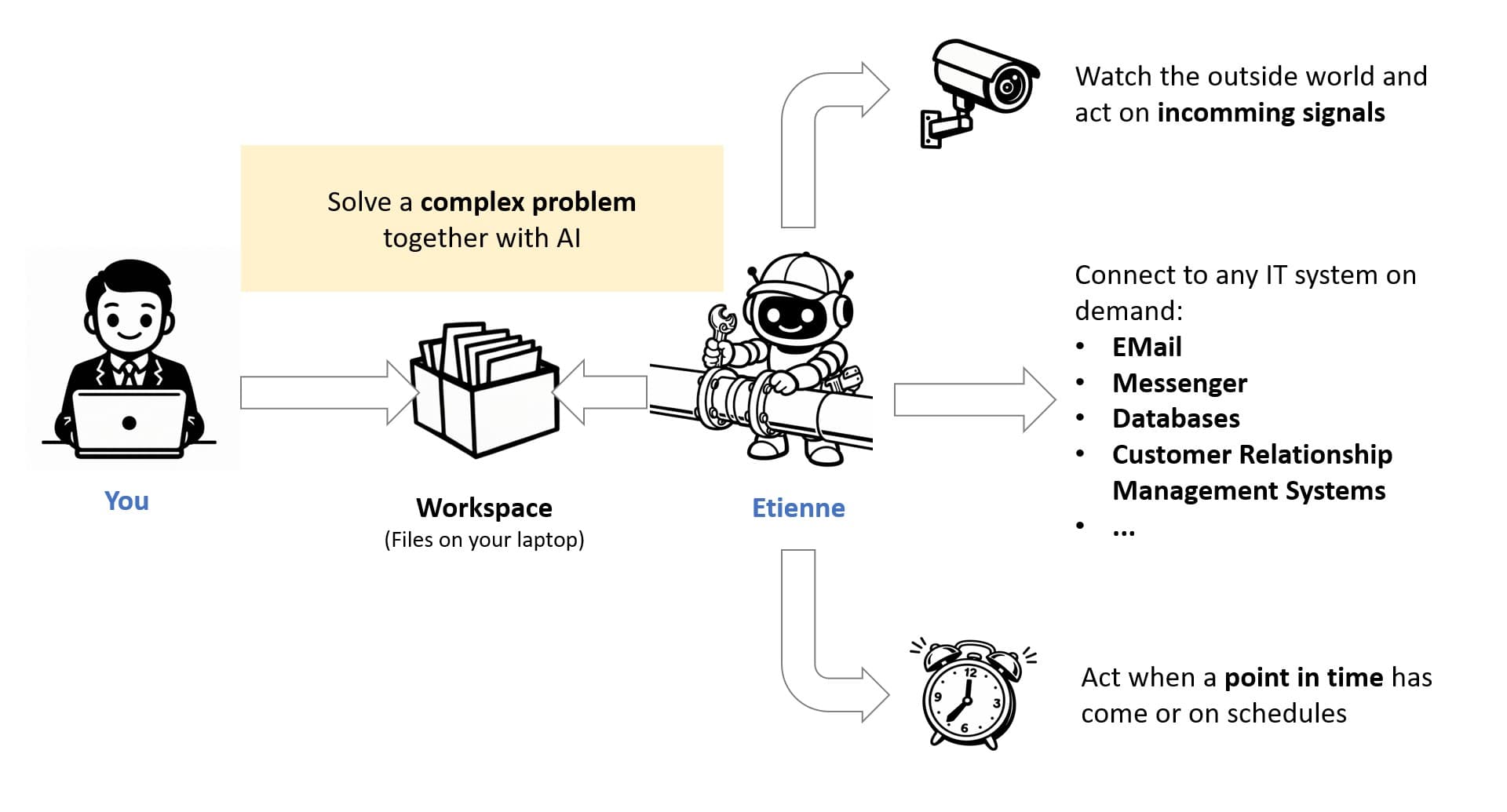
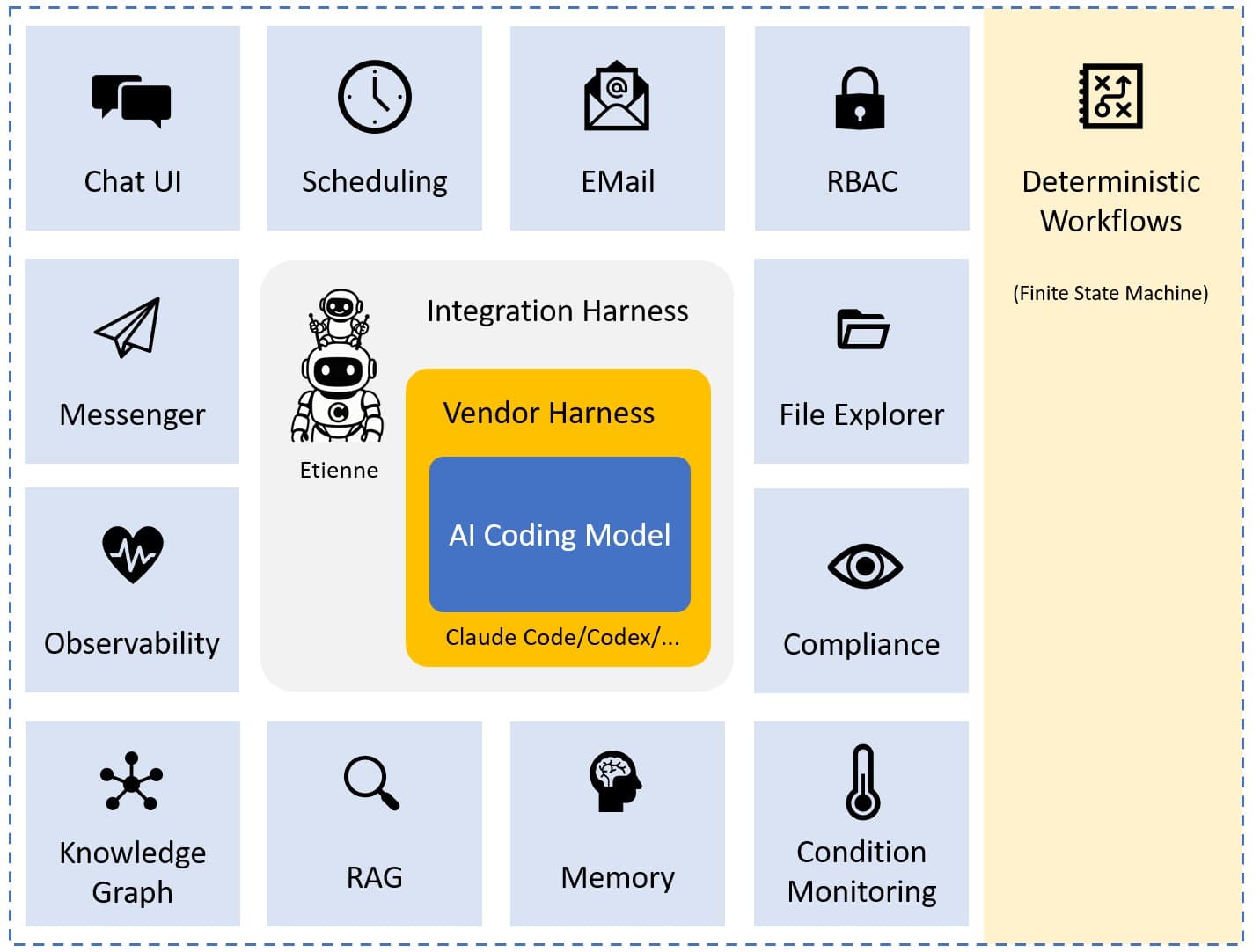
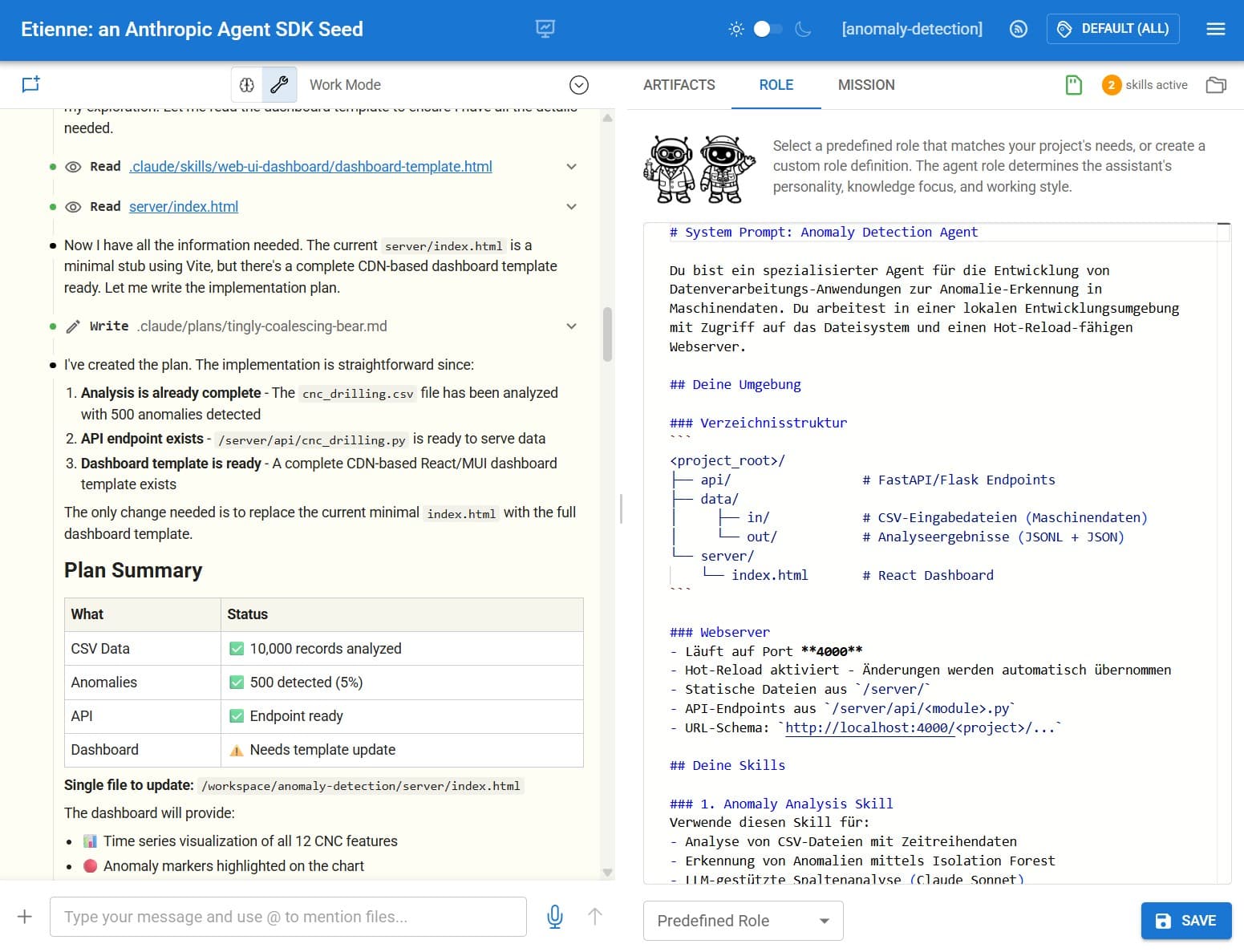
Etienne est un harnais d'intégration autour d'un agent de codage (Claude Agent SDK, Codex ou compatible) qui transforme un modèle d'IA brut en un collaborateur IA structuré et prêt pour l'entreprise. Il ajoute une interface de chat React soignée, un contrôle d'accès basé sur les rôles (RBAC), un magasin de skills avec gestion de cycle de vie, une connectivité via bus d'événements et le rendu d'Apps MCP — le tout conçu pour fonctionner sur des données locales sans dépendances cloud obligatoires.
Les utilisateurs interagissent via un établi dans le navigateur ou via les messageries Telegram/Teams. L'agent travaille sur des espaces de travail de projets locaux, peut surveiller les e-mails, exécuter des tâches planifiées, visualiser des graphes de connaissances et même patcher son propre code source via des flux d'auto-guérison supervisés par un administrateur.
Fonctionnalités clés
- Système de skills — des experts métiers écrivent des skills en markdown ; des ingénieurs informatiques y attachent des extraits de code ; les skills sont versionnés, revus et promus via un magasin géré par l'administrateur
- Rendu d'Apps MCP — les résultats d'outils contenant un
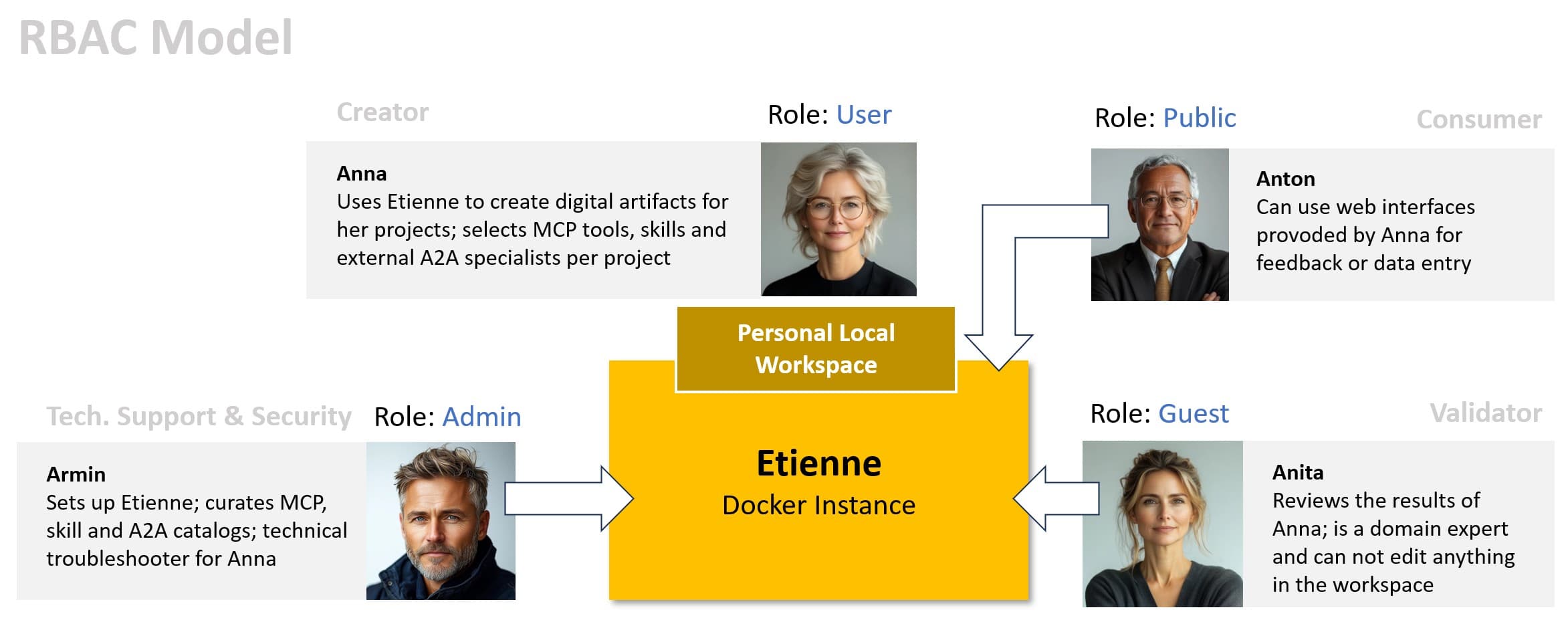
_meta.ui.resourceUrisont rendus sous forme d'UIs React dynamiques (boutons, formulaires, tableaux de bord) directement dans la chronologie du chat - Contrôle d'accès basé sur les rôles — rôles invités, utilisateurs et administrateurs avec authentification JWT ; s'intègre à EntraID, Okta ou tout autre fournisseur OAuth
- Bus d'événements (ZeroMQ) — connecte IMAP, MQTT, webhooks, système de fichiers et planificateurs cron dans une boucle agent : percevoir → contextualiser → décider → agir
- Auto-guérison — autonomie graduée (Niveau 0–3) pour les patchs de code pilotés par l'agent avec snapshot/rollback et une passerelle d'approbation obligatoire de l'administrateur
- Orchestration multi-agents — définit des sous-agents par projet ; le Claude Agent SDK les exécute automatiquement en parallèle ou en séquence
- Gestion du contexte — tagge les fichiers, les documents vectoriels et les entités RDF pour limiter l'accès aux données de l'agent par session, réduisant ainsi la consommation de jetons et améliorant la concentration
- Suivi du budget — surveillance des coûts par projet avec des limites globales configurables et des mises à jour SSE en temps réel
Installation
git clone https://github.com/BulloRosso/etienne
cd etienne

# Serveur OAuth (port 5950)
cd oauth-server && npm install && npm run dev

# Backend (port 6060)
cd ../backend && npm install && npm run dev

# Frontend (port 5000)
cd ../frontend && npm install && npm run dev
Créez backend/.env à partir de backend/.env.template et configurez ANTHROPIC_API_KEY, OPENAI_API_KEY et JWT_SECRET.
Connexion par défaut : user / user123 (rôle : user) ou admin / admin123 (rôle : admin).
Claude Desktop — Etienne expose son propre serveur MCP sur le port 6060. Ajoutez-le à claude_desktop_config.json :
{
  "mcpServers": {
    "etienne": {
      "url": "http://localhost:6060/mcp"
    }
  }
}
Hôtes supportés
Principalement auto-hébergé — les utilisateurs accèdent à l'établi React sur http://localhost:5000. Des UIs de messagerie secondaires (Telegram, Microsoft Teams) sont supportées via des services fournisseurs inclus. Le serveur MCP backend peut être connecté depuis n'importe quel client compatible MCP.
Installation rapide
git clone https://github.com/BulloRosso/etienne && cd etienne/backend && npm install && npm run devInformations
- Tarification
- free
- Publié
- 4/4/2026
- Mis à jour
- 6 months ago
- étoiles
- 19
Catégories
Choisissez votre client IA et suivez les étapes ci-dessous.
Codex
Run the Etienne backend locally and reference its MCP server URL in your AGENTS.md or MCP config.Claude Desktop
Add Etienne's MCP server to claude_desktop_config.json: {"mcpServers": {"etienne": {"url": "http://localhost:6060/mcp"}}}Apps similaires

nanobot
MCP ServerUltra-lightweight personal AI agent framework with built-in MCP, long-term memory, and multi-channel chat support.

FinanceToolkit
MCP ServerProfessional-grade financial analysis toolkit for equities, options, and risk management.

DiffSitter MCP
MCP ServerAI-powered structural code navigation using tree-sitter ASTs for semantic understanding across 14+ languages.

OpenAI Apps SDK Examples
MCP AppOfficial example gallery of interactive MCP widgets for ChatGPT — 3D viewers, maps, carousels, shopping carts, and more.

Human MCP
MCP ServerGive AI agents human-like senses: visual analysis, image/video generation, speech synthesis, browser automation, and advanced reasoning — 29 MCP tools in one se

Containarium
MCP ServerSelf-hostable agent runtime with SSH-native isolation, eBPF egress policy, and MCP-native CLI.

Shopify MCP Server
MCP ServerDirect interaction with Shopify store data via GraphQL API for managing products, customers, and orders.

Git MCP Server
MCP ServerFull-featured Git MCP server exposing 28 tools for AI agents to clone, commit, branch, diff, merge, rebase, and more via STDIO or Streamable HTTP.