MCP App StoreMCP App Store
from phoneclaw492
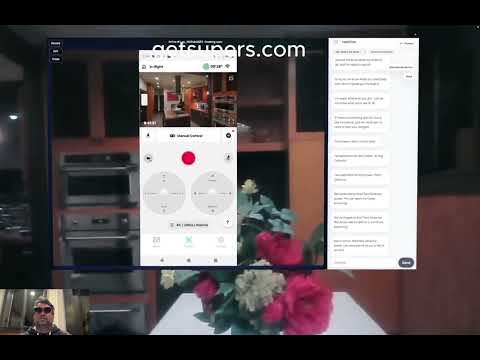
Install, log in to, run, and troubleshoot the SuperPowers desktop streamer (superpowers-ai) from npm; includes start/stop and common macOS troubleshooting.
This skill teaches an agent how to install and operate the published SuperPowers streamer CLI (package: superpowers-ai). It covers installation, account login (email/phone verification), starting and stopping the local streamer, opening the printed control link, and common install/runtime troubleshooting. The guidance assumes no repository or source access and works from the published npm package and the user's terminal environment.
Use this skill when a user wants help setting up or running the SuperPowers desktop streamer, when login or verification fails, when the streamer won't start or needs macOS permissions, or when npm install errors occur. It's appropriate for terminal-based assistance and step-by-step troubleshooting.
superpowers login, superpowers start and superpowers stop, and macOS permission notes for screen recording and accessibility.Best used by agents that can run shell commands and guide terminal workflows (Copilot/CLI-style agents, Claude Code / Copilot / Cursor-like assistants).
A skill for installing and managing the SuperPowers desktop streamer npm package. No bundled scripts to test. SKILL.md is well-structured with clear step-by-step flow, good macOS troubleshooting notes, and explicit core rules about not assuming source code access. References external files (references/install.md, references/troubleshooting.md) that weren't bundled. Niche but practical for its target audience.
Clean skill, no security concerns. The main gap is missing reference files that the SKILL.md directs the agent to read. Niche audience limits usefulness.

Development Worktree
Create an isolated git worktree for feature work, auto-run project setup, and verify a clean test baseline before development.
Readwise Reader Document Management
Manage Readwise Reader documents: list, save, search, move, tag, highlight, export and bulk-edit via official and custom CLIs.

Bounty Hunter — Atlas
Persona skill: 'Atlas' — a profit-focused developer persona for discovering, evaluating and executing paid bounties or freelance tasks with ROI-aware workflows.

Junshi — Research Advisor
Daily strategic research advisor that scans arXiv/venues, digests papers, and proposes bold, ranked research ideas tailored to the user's profile.

Full Stack Builder
End-to-end builder that scaffolds, implements, tests, and optionally deploys web and API applications from a natural-language specification.

ezBookkeeping API Tools
Command-line API tools for ezBookkeeping: record and query transactions, retrieve accounts/categories/tags, and fetch exchange rates for self-hosted personal fi

Feishu Voice Sender
Convert MP3s and send them as native Feishu voice messages (playable voice clips) to users or groups.

Claw Bench
Benchmarking skill that guides an agent through a structured suite of capability tests and reporting steps for leaderboard submission.